
1. Speak the request.
Tap the microphone and talk in English, German, French, or Spanish. You can switch the recognition language inside voice mode. Clear requests with an action, amount, and asset give the app more context.
Tap the microphone in ChainATM, say a request, and check what the app understood. Voice can start a question or prepare an action, but it never signs or approves a transaction for you.
Buy €100 of USDC.
I can prepare that purchase. Review the provider and final quote before you approve.
The transcript enters the same ChainATM chat flow as a typed message. What happens next depends on the request and the live information available.
Tap the microphone and talk in English, German, French, or Spanish. You can switch the recognition language inside voice mode. Clear requests with an action, amount, and asset give the app more context.
ChainATM can answer with information, ask for a missing recipient or network, or prepare an action for review. A transcript is not proof that the app interpreted every detail correctly.
When an action is available, inspect the preview or transaction card before continuing. Speaking alone does not sign, broadcast, or approve an on-chain transaction.
Start with the transcript: is it the request you intended? Then check the action type, asset, amount, network, recipient, quote, and costs displayed for the proposed action. Some requests need a follow-up answer before ChainATM can prepare anything. If a field is wrong, missing, or unclear, stop and correct it. Never use familiarity with a routine command as a reason to skip the review.
Buy, swap, and send flows do not all show identical screens. The relevant provider, route, wallet, and network information depends on the action. Live availability can change, so the result shown in the app at the time of the request is the decision surface—not an example sentence on this page.
See access and pricing German guide: text, voice, review, and approval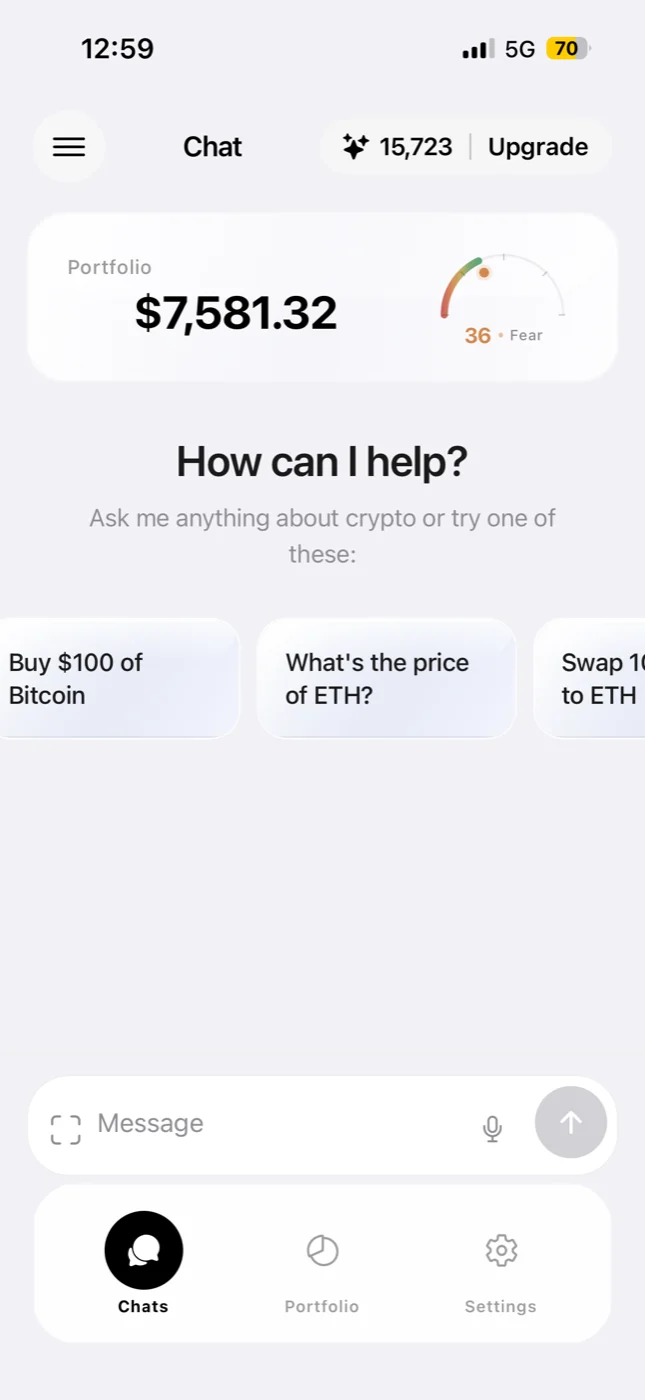
These are phrasing examples, not promises that a particular asset, network, provider, route, quote, or purchase method is available.
Asks ChainATM to start a purchase request. Review live asset, network, provider, and cost information in the app.
Asks for a swap. A quote or a follow-up question depends on the wallet, network, balance, and live route support.
Starts a send request. ChainATM may ask for the missing recipient or network before it can prepare an action.
Asks an informational market-price question without treating the answer as a transaction approval.
Asks to prepare a euro-denominated purchase. Verify current availability and all details shown in the purchase preview.
Asks for the balances and portfolio information currently available to the app.
Speech recognition can be affected by background noise, the selected language, pronunciation, device support, permissions, or connectivity.
Choose English, German, French, or Spanish in voice mode before repeating the request. The selected speech language should match the language you are speaking.
State one task at a time. Include the amount and asset when they matter, then answer any follow-up question in the chat. For a send, verify the full recipient information rather than relying on speech alone.
If the microphone is unavailable or the transcript remains wrong, type the request. Voice and text feed the same chat workflow, so changing the input method does not remove the review step.
ChainATM requests microphone and speech-recognition permission when voice input starts. If permission is denied, the app offers a path to the device settings. Recognition availability is checked on the device, and a network or speech-service error can prevent a transcript from being produced. This page does not claim that transcription always happens on the device.
Voice mode stops when the app moves to the background. The app also provides a cancel control and a retry path when it does not catch a request. These controls help manage the input session; they do not guarantee that speech recognition will be accurate. Your safest fallback is to cancel and type.
The current public download linked here is the ChainATM iPhone app. A spoken example may still be unavailable for a particular wallet, country, asset, network, provider, balance, or market condition. ChainATM may ask for more information or report that it cannot prepare the requested action.
Review the live App Store purchase sheet before confirming any subscription or credit purchase. For transaction costs and access options, use the current information shown in the app and the ChainATM pricing guide. Third-party and network fees can apply even where ChainATM charges no percentage fee.
Voice crypto commands are spoken inputs to the ChainATM chat. Tap the microphone in the iPhone app and say a request. The app converts the speech into text and sends that text through the same chat flow used for typed requests. The result may be information, a follow-up question, or a reviewable action.
No. Speaking does not sign or approve a transaction. When ChainATM can prepare an action, the app presents a preview or action card for review. You still make the final approval on your device. A spoken request can also produce a clarification instead of an action when information is missing.
Check the action type, amount, asset, network, recipient, quote, and any provider or network costs shown for that action. Not every screen contains every field. If the transcript or proposal differs from what you meant, cancel or correct the request before approval.
The current app offers speech recognition in English, German, French, and Spanish. You can select the speech language in voice mode. Recognition availability and quality can vary by device, operating-system service, pronunciation, and connection.
Try again in a quieter place, choose the matching speech language, or type the request in chat. Always treat the transcript and resulting proposal as information to verify. Do not approve a transaction whose asset, amount, network, or recipient is wrong or unclear.
No. The examples show useful ways to phrase requests, not guaranteed asset, network, route, quote, or regional availability. An action can depend on the connected wallet, balance, selected network, live provider support, location, and current market conditions.
No. Voice is an input option; the screen remains part of the decision. You use it to check the transcript, read follow-up questions, inspect any prepared action, and make the final approval. Text chat remains available when voice recognition is unavailable or inconvenient.
Use voice or text in ChainATM, then review the live response before you continue.